
Keyword research
Question Finder
Find the questions people search about a topic and use them as H2s in your post.
Works with no external setup
Version 1.0.0 · 41 KB · Updated October 5, 2026

AI content · Free
Generate complete SEO article drafts inside WordPress, with WordPress 7 AI or your own OpenRouter key.
Version 1.0.0 · WordPress 6.2+ · PHP 7.4+ · 60 KB · Updated October 5, 2026

Contentor AI Writer creates a full article draft from a keyword: title, meta description, an intro that answers the search, H2/H3 sections, lists, FAQ and conclusion, delivered as Gutenberg blocks. On WordPress 7 it uses the AI provider configured in WordPress itself; on older versions, or if you prefer, it uses your own OpenRouter key, and you only pay for what you generate.
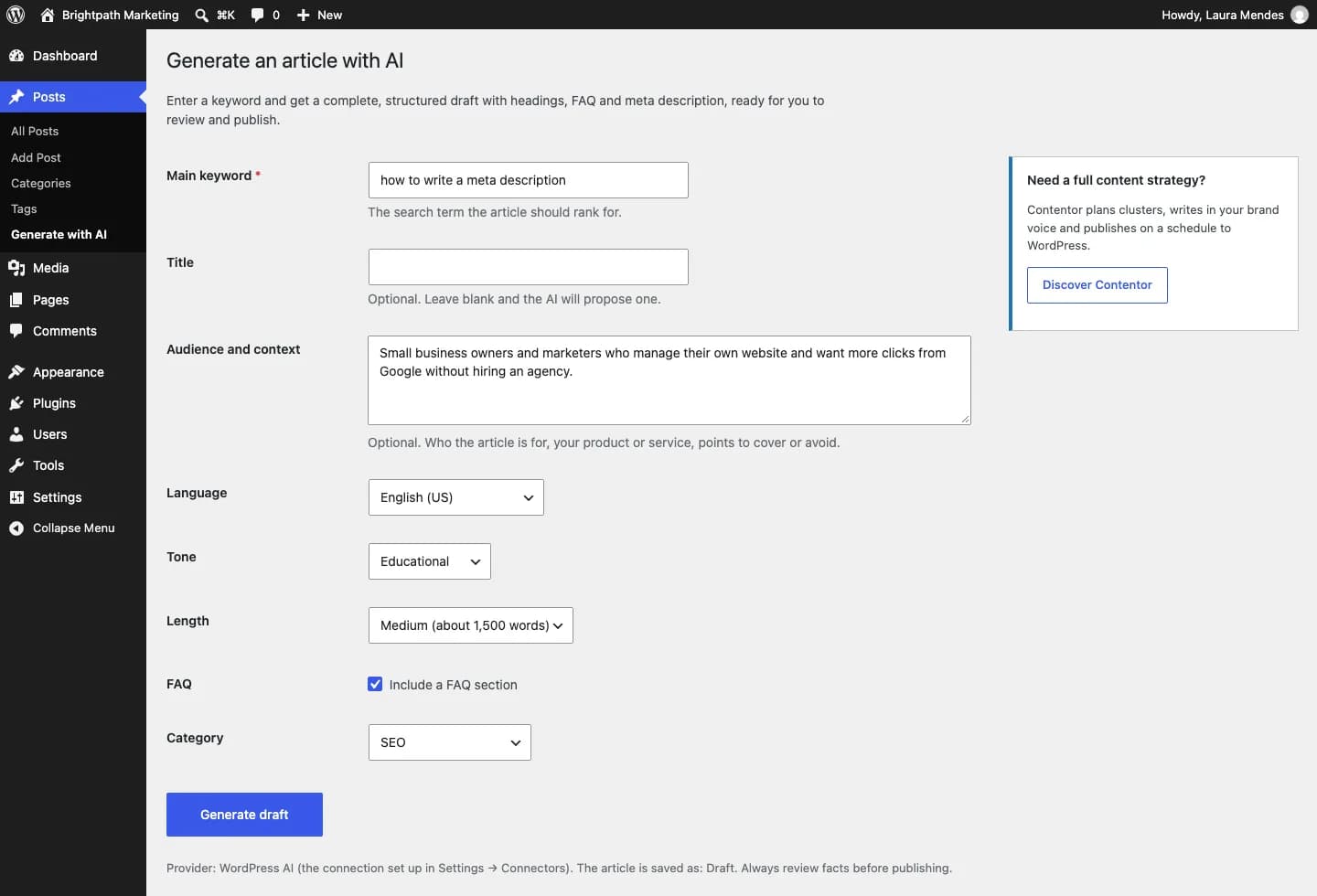
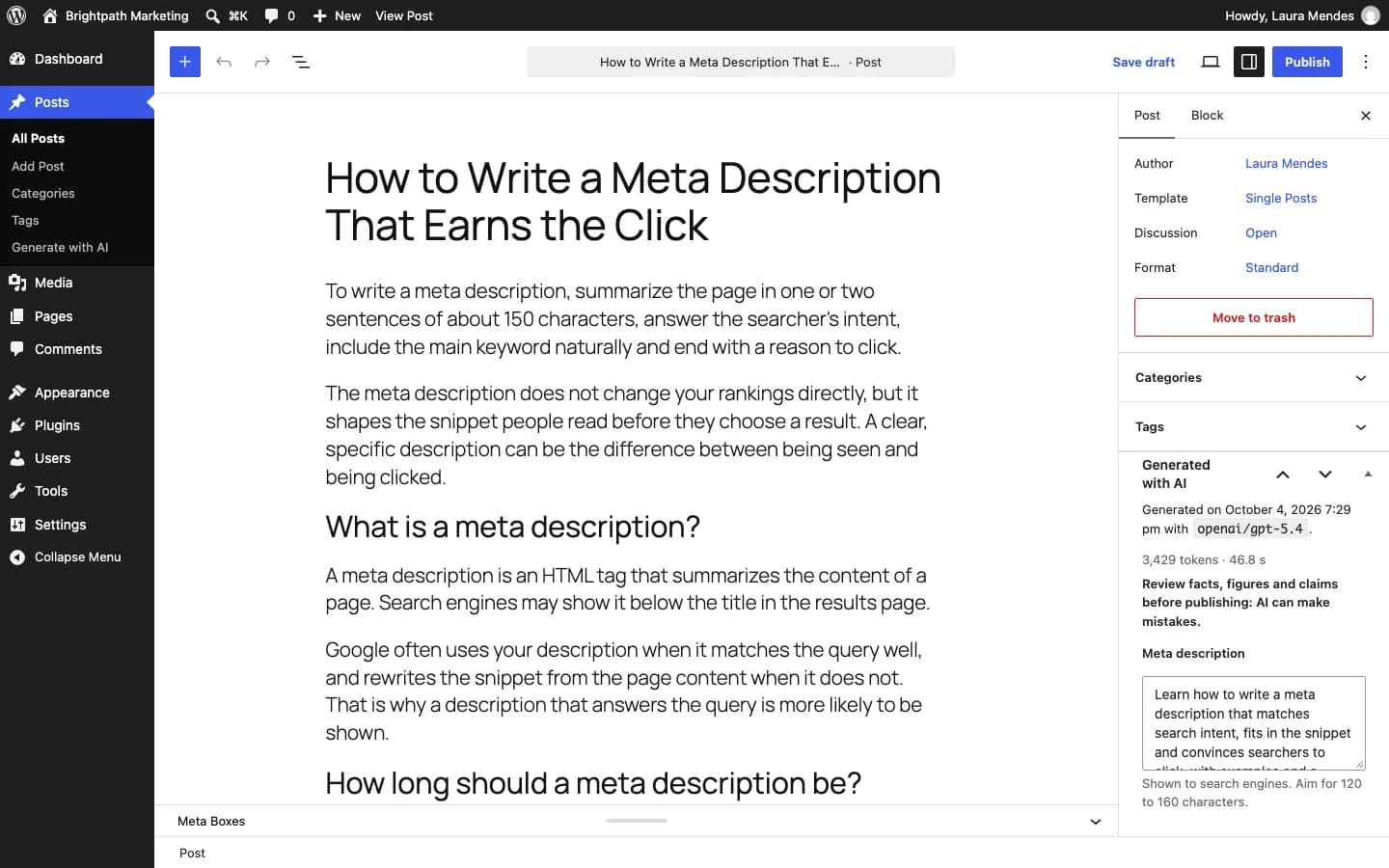
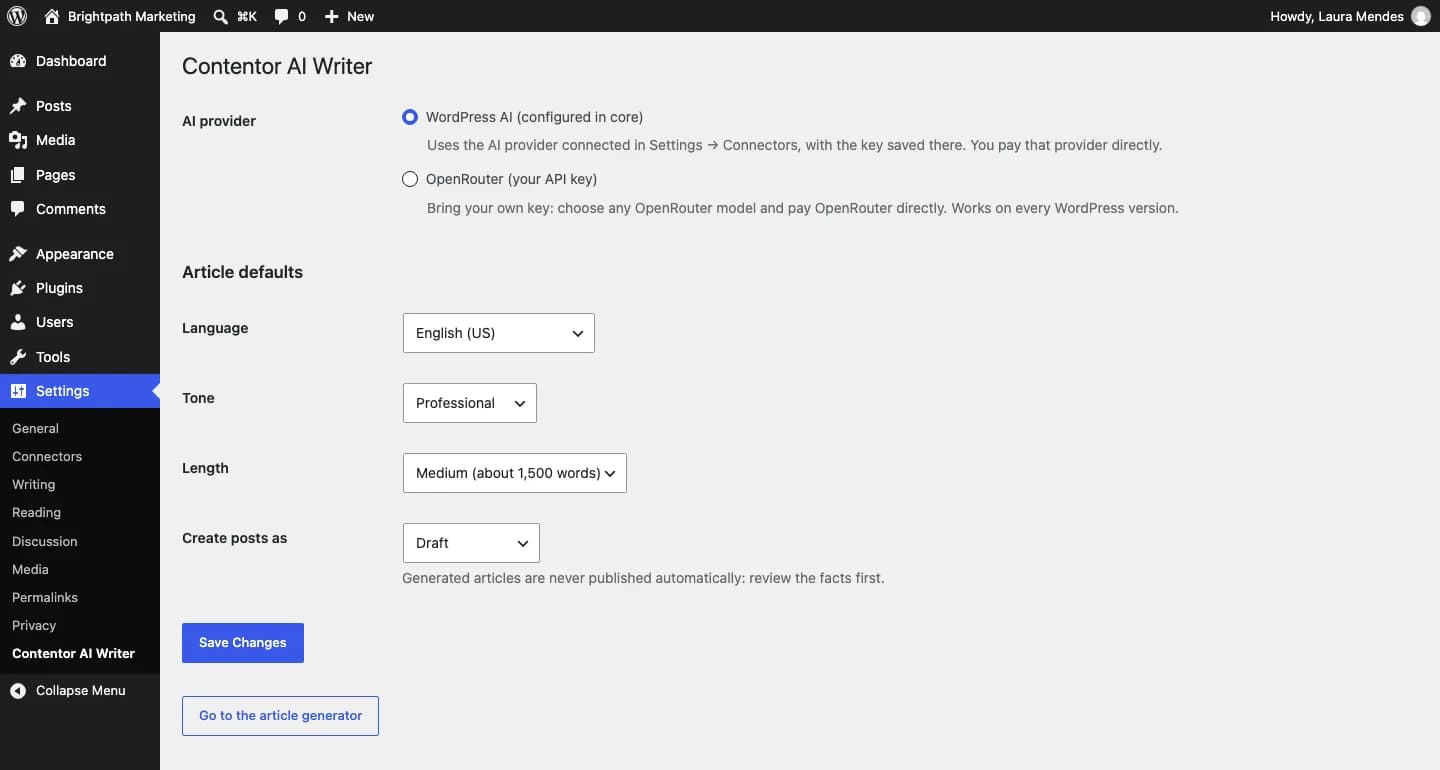
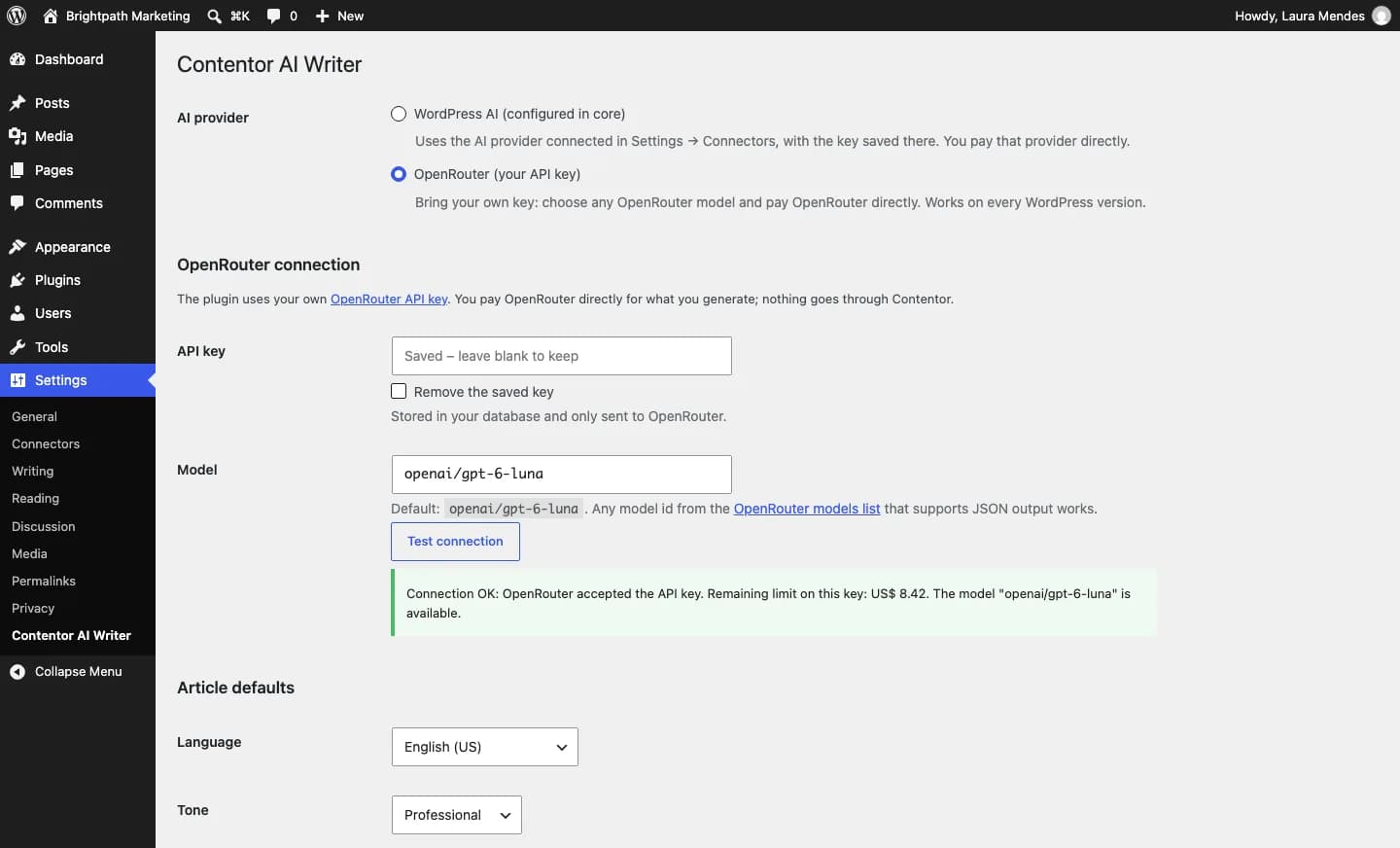
Headings, paragraphs, lists and FAQ arrive as editable blocks, not pasted text.
The first paragraph answers the query, H2s follow real sub-questions and nothing is made up: no invented stats or sources.
Fills your SEO plugin’s meta description and focus keyword when it is active.
Choose language, tone, length (short, medium or long), category and whether to add a FAQ.
Articles are saved as drafts for review, with the model and usage stored on the post.
On WordPress 7, connect an AI provider in Settings → Connectors; or paste your OpenRouter key in Settings → Contentor AI Writer.
Go to Posts → Generate with AI and enter the keyword and options.
In 1–2 minutes you land on the draft, ready to review and publish.
Click "Free download", enter your name, email and WhatsApp, and save the file without unzipping it.
In your dashboard go to Plugins → Add New → Upload Plugin and choose the file.
Click "Install Now" and then "Activate Plugin".
Use the "Settings" link that appears in the plugin list.
The plugin is free. You pay the AI provider (the one configured in WordPress, or OpenRouter) only for the tokens used; each generation’s usage is saved on the post.
Yes. If the site has an AI provider connected in WordPress 7, the plugin uses it by default. Without one, it uses OpenRouter with any model you choose.
No. Articles are always created as drafts (or the status you set) so a human reviews them before publishing.
Keyword research
Find the questions people search about a topic and use them as H2s in your post.
Works with no external setup
Version 1.0.0 · 41 KB · Updated October 5, 2026
Images
Generate featured and social share images (1200×630) from the post title, with no AI and no external service.
Works with no external setup
Version 1.0.0 · 176 KB · Updated October 5, 2026
Google Search Console
See which posts are almost on page one and which are losing clicks, right in WordPress.
Uses your Google Search Console
Version 1.0.0 · 73 KB · Updated October 5, 2026
Need a complete content strategy? Contentor plans clusters, writes in your brand voice and publishes to WordPress on a schedule.
Discover ContentorAI Writer
Free · 60 KB