
Indexing
Index Checker & IndexNow
Find out which posts Google has indexed and ping Bing and Yandex the moment you publish.
IndexNow in one click; Google optional
Version 1.0.0 · 92 KB · Updated October 5, 2026

Google Search Console · Free
See which posts are almost on page one and which are losing clicks, right in WordPress.
Version 1.0.0 · WordPress 6.2+ · PHP 7.4+ · 73 KB · Updated October 5, 2026

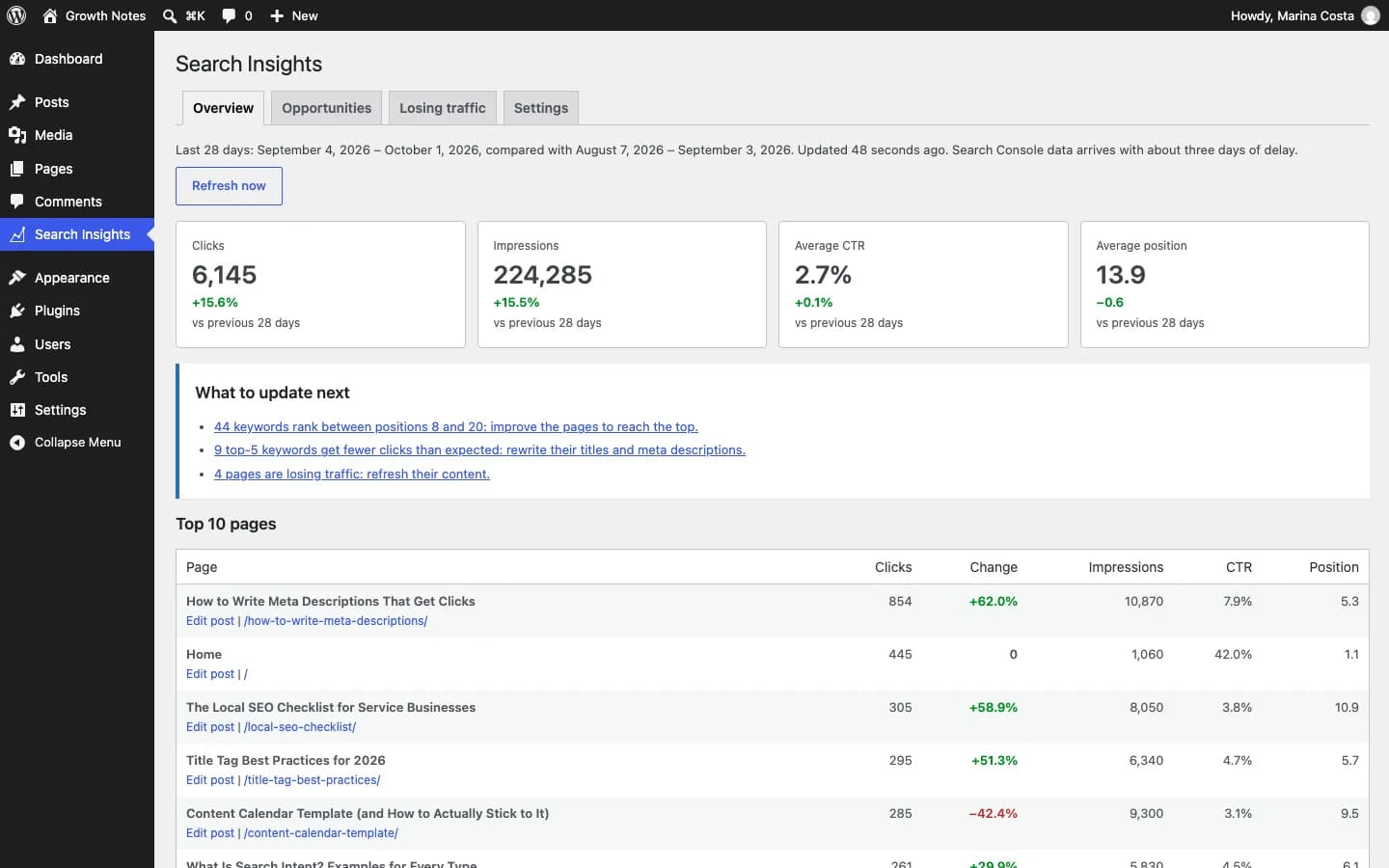
Search Console Insights connects WordPress to your Google Search Console and shows what to update first: keywords in positions 8–20, pages with lower-than-expected CTR and posts that lost clicks over the last 28 days. Everything sits next to your posts, with a direct edit link.
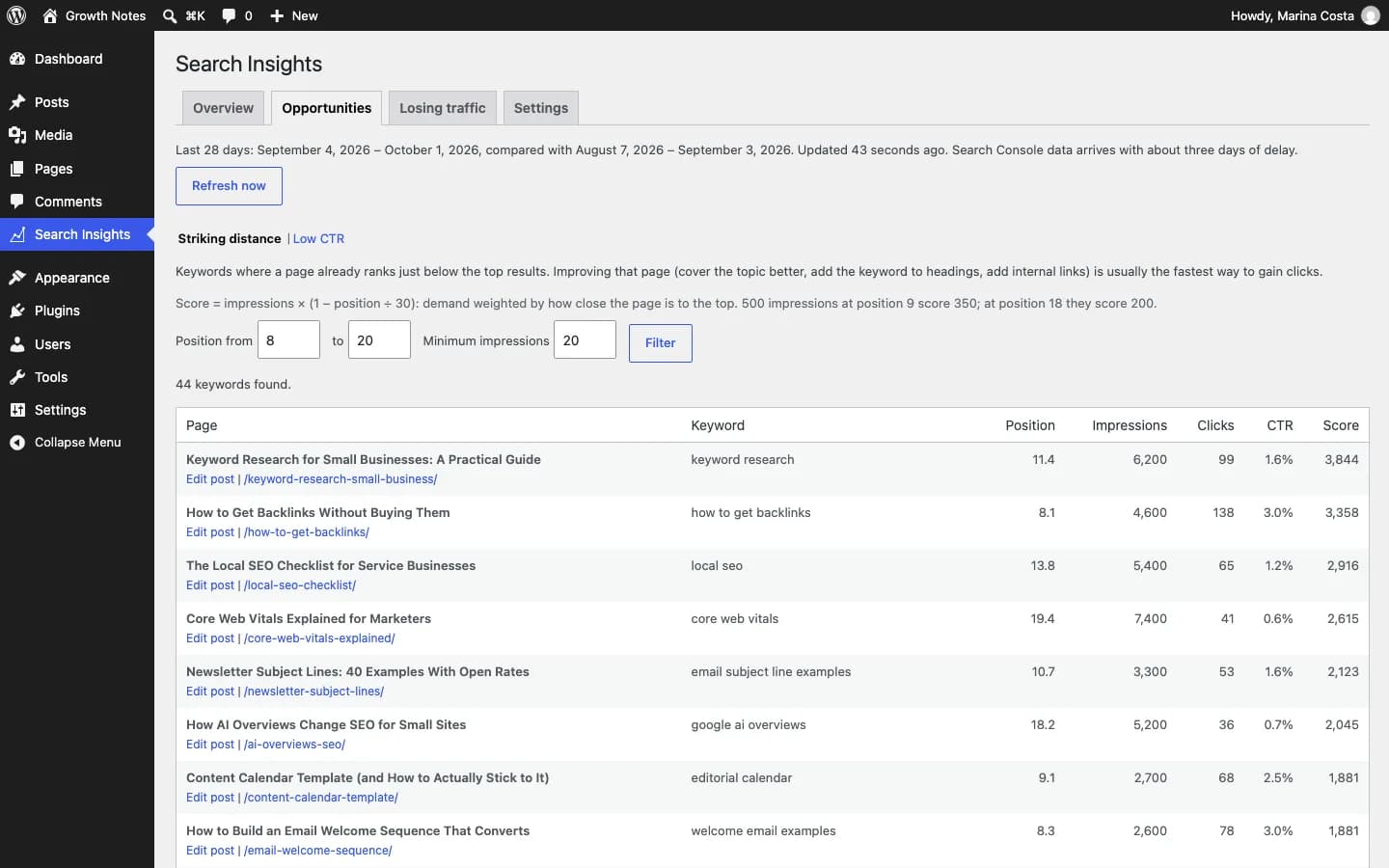
Queries in positions 8–20 with enough impressions, ranked by upside.
Top-5 pages with a CTR below normal for their position: a sign the title and meta description need a rewrite.
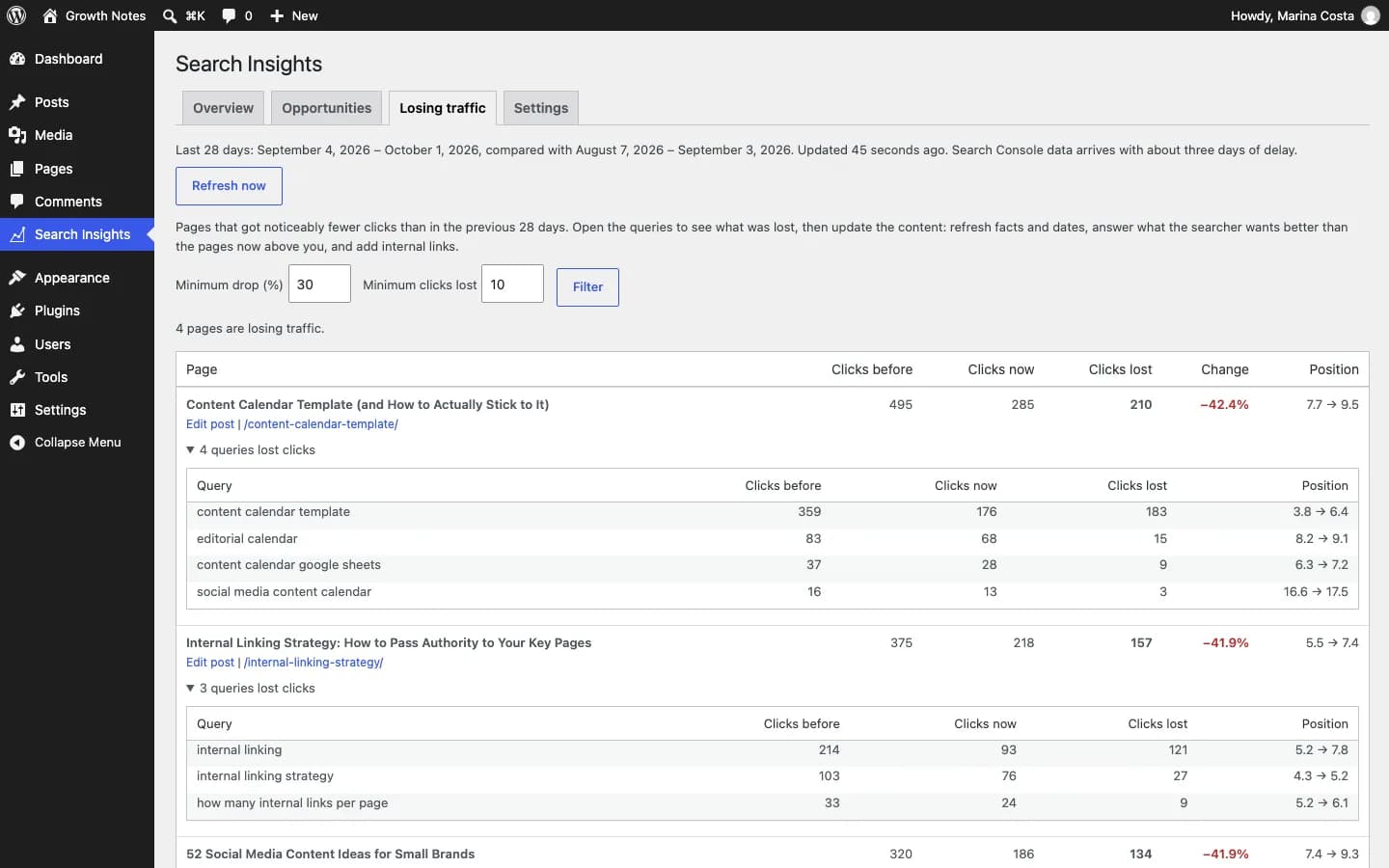
Compares the last 28 days with the previous 28 and shows which queries dropped most on each page.
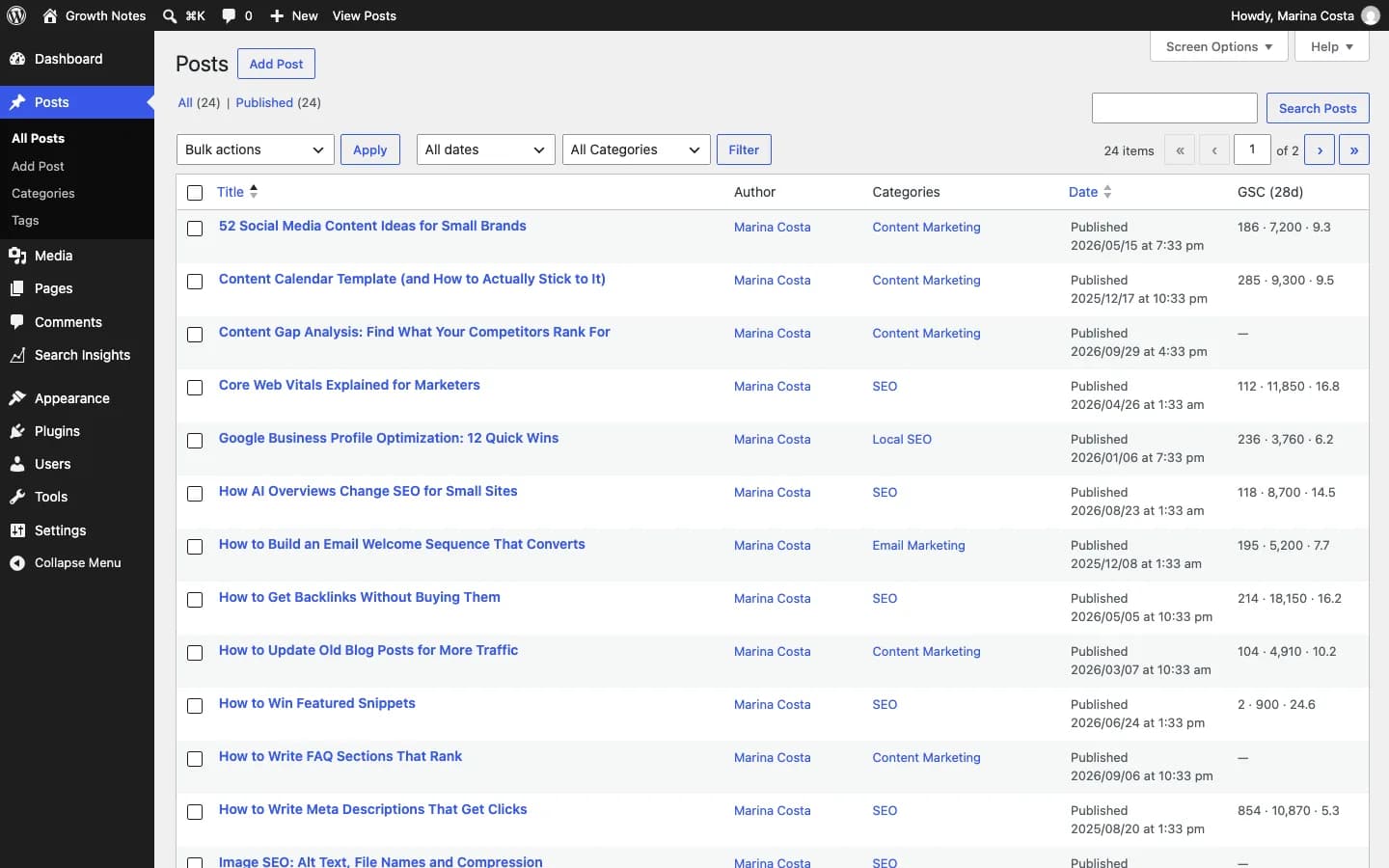
Clicks, impressions and average position for every post without leaving WordPress, plus a dashboard widget.
Data syncs every day and is stored in your own database.
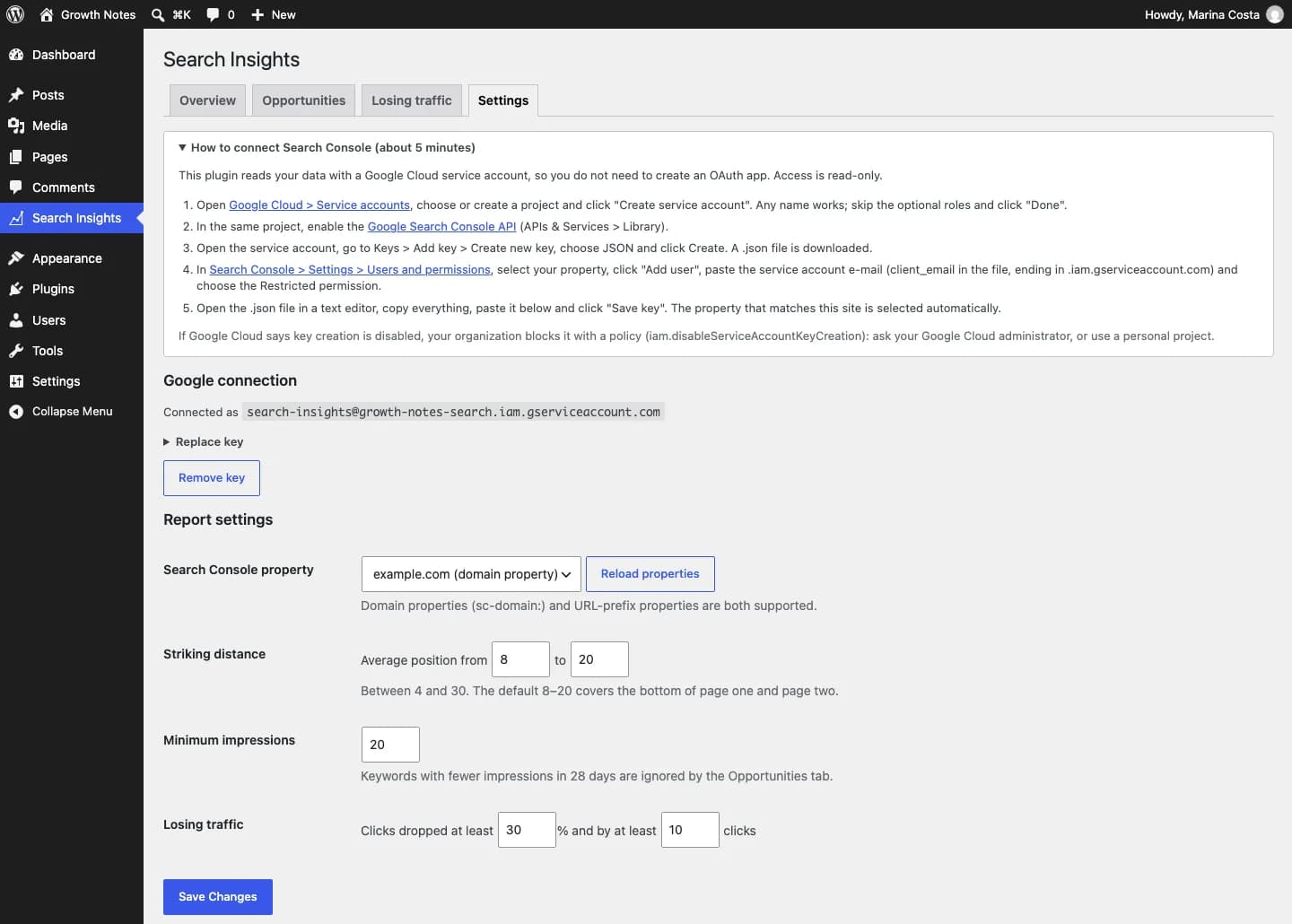
Create a Google Cloud service account and download its JSON key (the plugin walks you through it).
Add the service account e-mail as a user of your Search Console property.
Paste the key, pick the property and click "Refresh now".
Click "Free download", enter your name, email and WhatsApp, and save the file without unzipping it.
In your dashboard go to Plugins → Add New → Upload Plugin and choose the file.
Click "Install Now" and then "Activate Plugin".
Use the "Settings" link that appears in the plugin list.
So the plugin depends on no middleman server: your site talks to Google’s API directly and the key is stored encrypted in your database.
Yes. Both Domain (sc-domain:) and URL-prefix properties are supported.
A query where your post already ranks in positions 8–20. Small improvements often push it onto page one, where almost all clicks happen.
Indexing
Find out which posts Google has indexed and ping Bing and Yandex the moment you publish.
IndexNow in one click; Google optional
Version 1.0.0 · 92 KB · Updated October 5, 2026
AI content
Generate complete SEO article drafts inside WordPress, with WordPress 7 AI or your own OpenRouter key.
Uses WordPress 7 AI or your own OpenRouter key
Version 1.0.0 · 60 KB · Updated October 5, 2026
GEO
Create and maintain your site’s /llms.txt and /llms-full.txt automatically.
Works with no external setup
Version 1.0.0 · 39 KB · Updated October 5, 2026
Contentor turns these opportunities into a weekly action plan and rewrites the pages for you, with Search Console reports by e-mail.
Discover ContentorSearch Console Insights
Free · 73 KB