
Google Search Console
Search Console Insights
See which posts are almost on page one and which are losing clicks, right in WordPress.
Uses your Google Search Console
Version 1.0.0 · 73 KB · Updated October 5, 2026

Indexing · Free
Find out which posts Google has indexed and ping Bing and Yandex the moment you publish.
Version 1.0.0 · WordPress 6.2+ · PHP 7.4+ · 92 KB · Updated October 5, 2026

Index Checker shows in your post list whether each URL is indexed by Google, with the reason and what to do when it is not. It also submits every published or updated post to IndexNow, the protocol used by Bing (which powers Copilot and ChatGPT search), Yandex, Seznam and Naver.
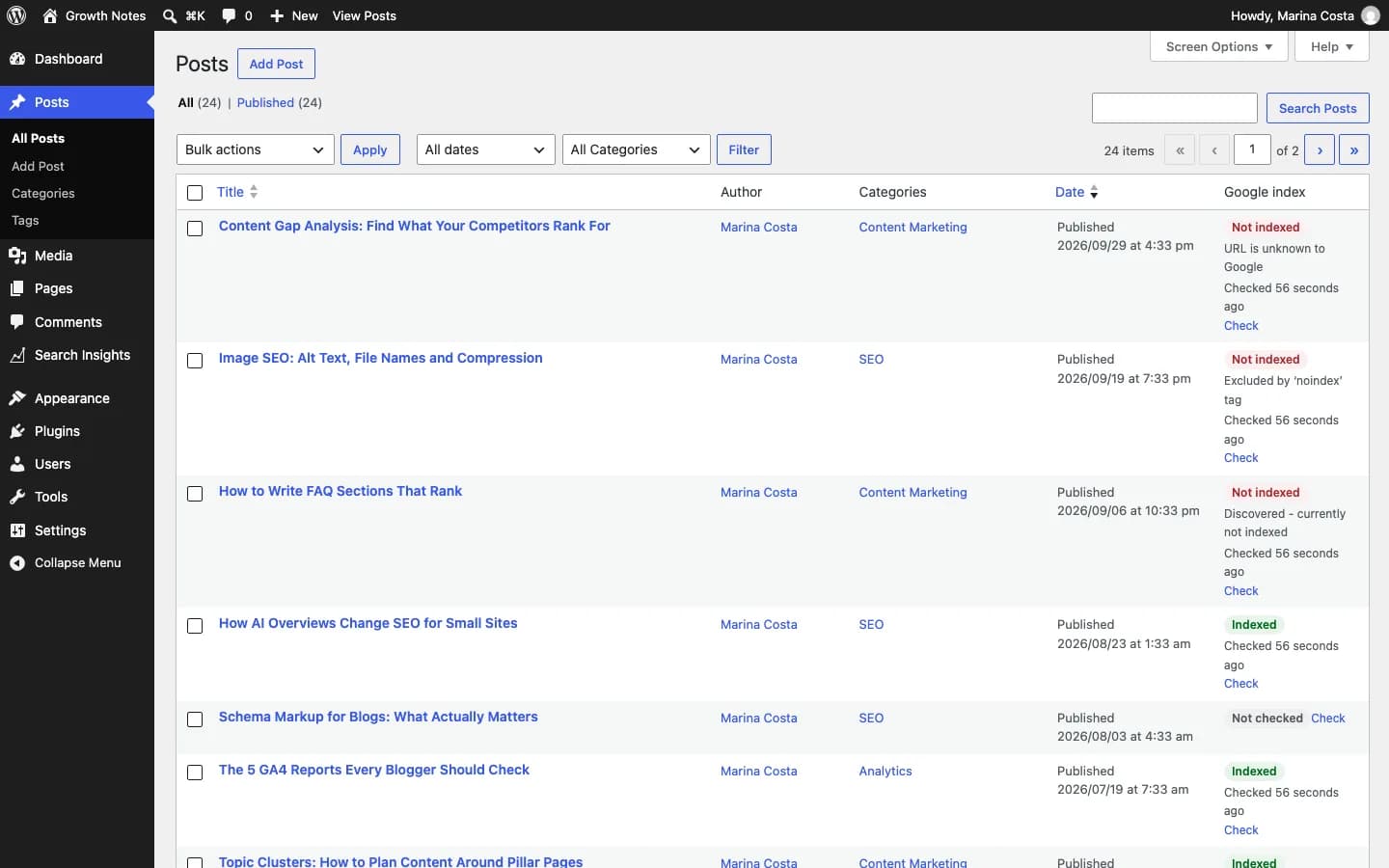
An indexed / not indexed badge on every post, with single or bulk checks.
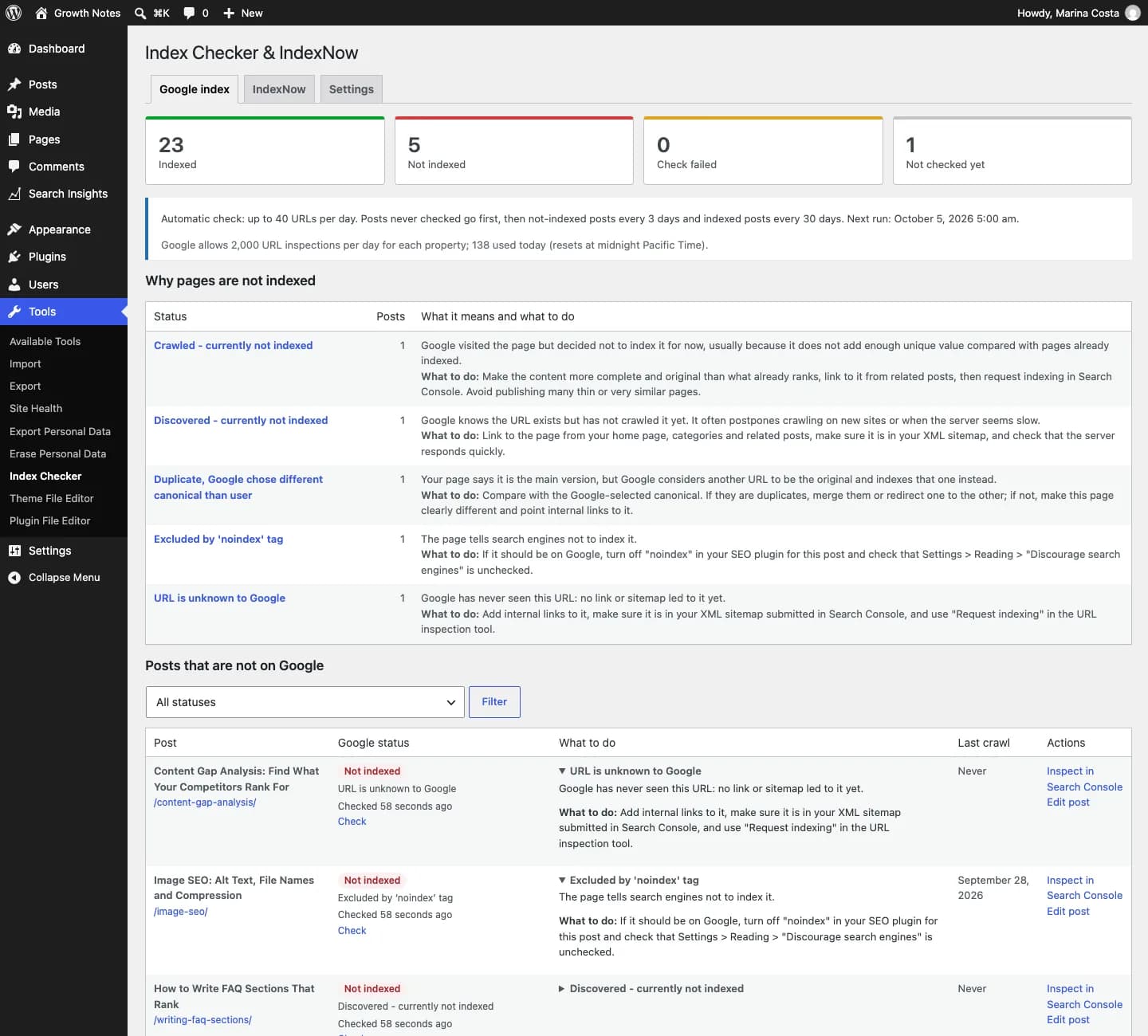
“Crawled – currently not indexed”, “Duplicate”, “Blocked by robots.txt” and more, each with the next action.
Never-checked posts first, not-indexed ones revisited more often, always within the API quota.
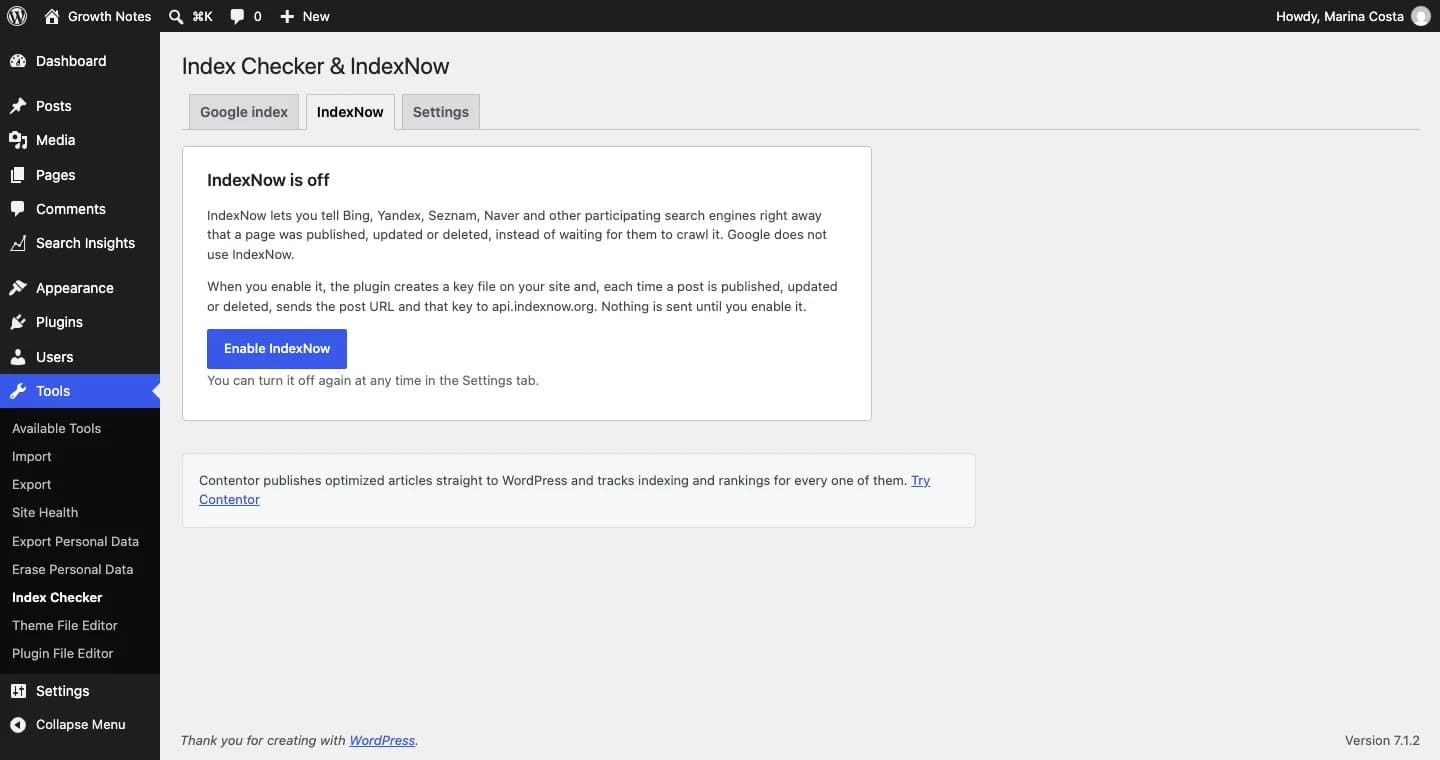
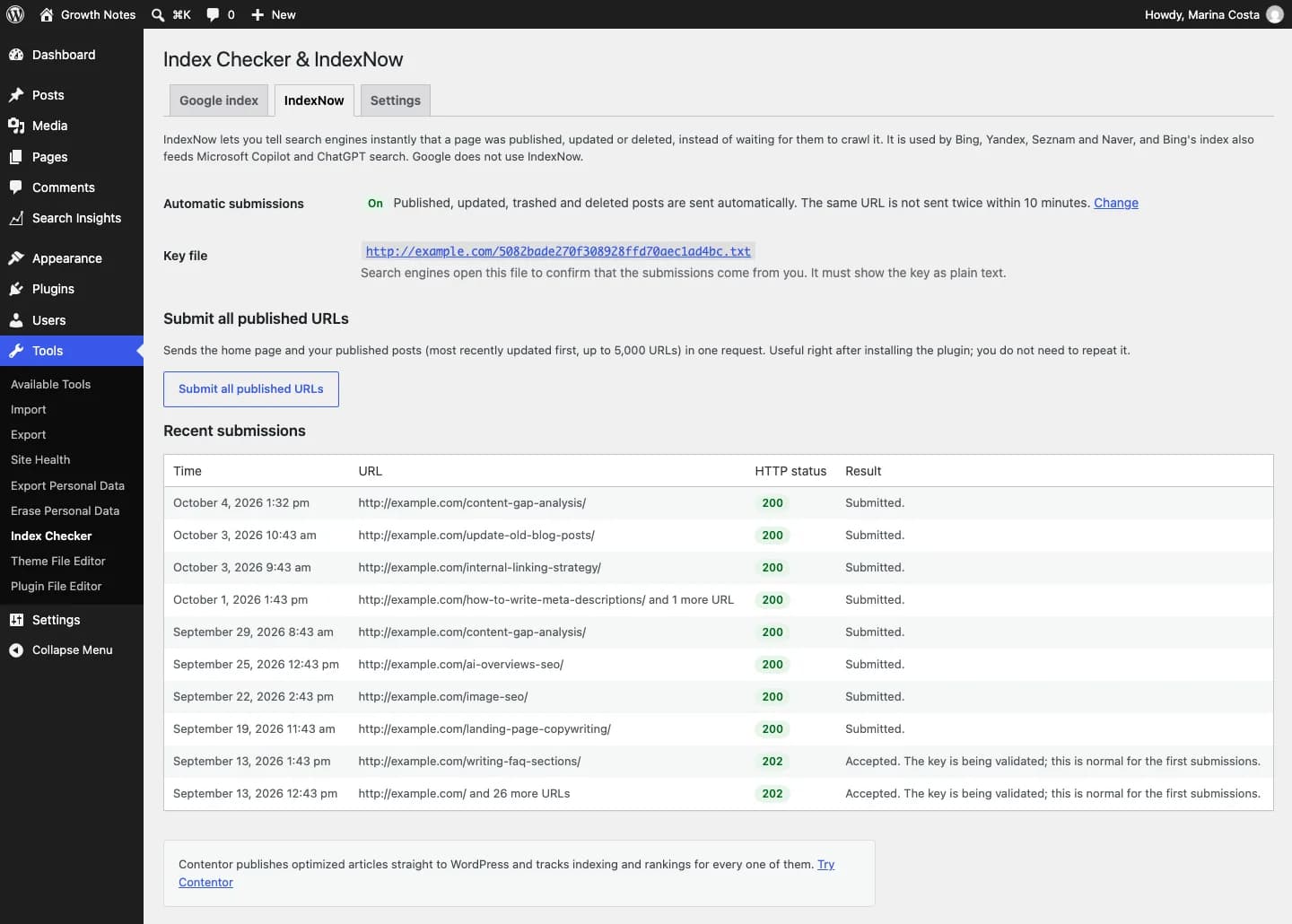
Once enabled, it generates the key, serves the verification file and pings search engines on publish, update or delete.
One button submits every published URL to IndexNow, with a log of recent submissions.
Activate the plugin and click “Enable IndexNow” in Tools → Index Checker.
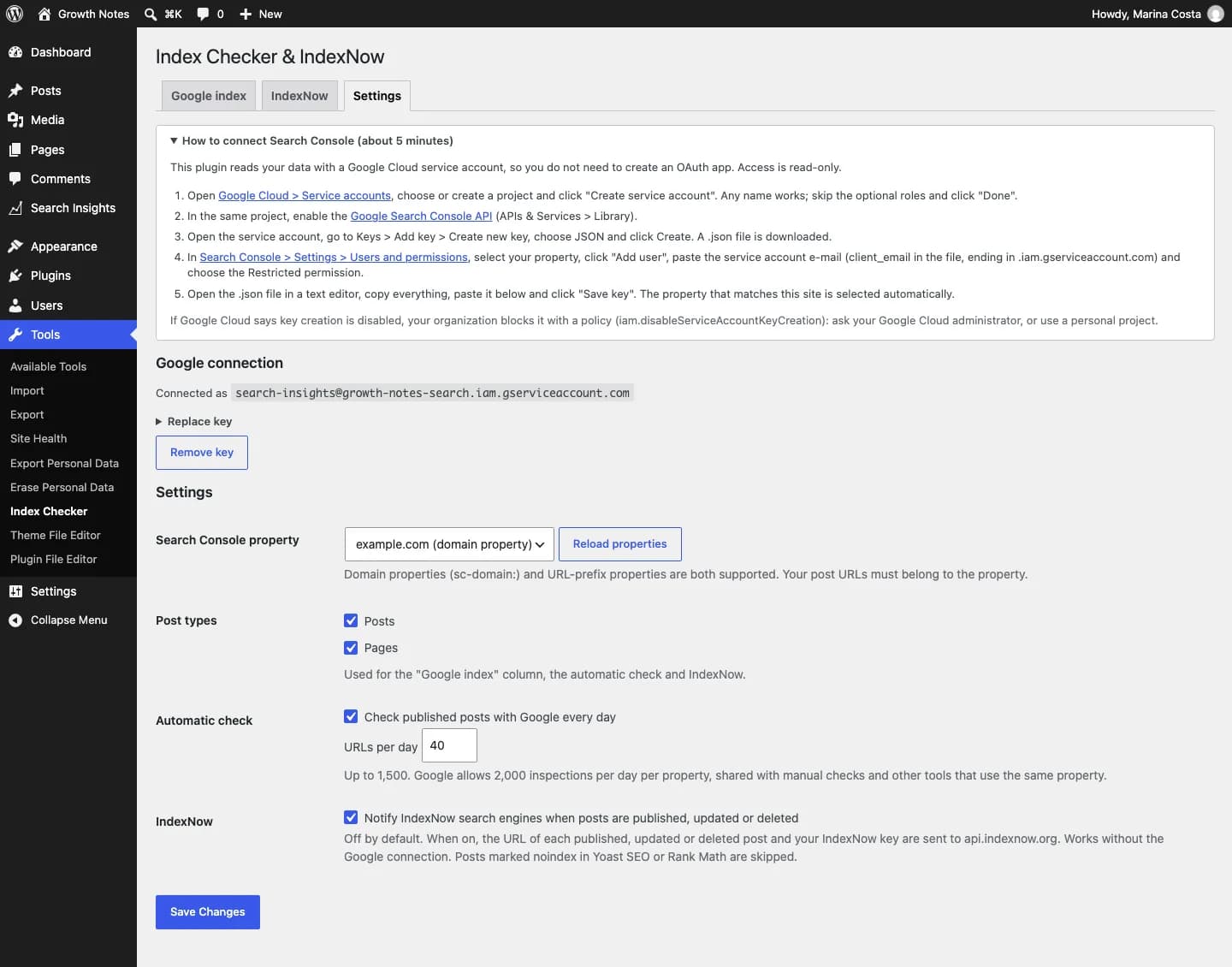
For Google, paste a service-account key with access to your Search Console (guide included).
Use the “Google index” column or the bulk action to check posts.
Click "Free download", enter your name, email and WhatsApp, and save the file without unzipping it.
In your dashboard go to Plugins → Add New → Upload Plugin and choose the file.
Click "Install Now" and then "Activate Plugin".
Use the "Settings" link that appears in the plugin list.
No plugin can force Google to index a page. This one shows each URL’s real status and explains what to fix. IndexNow speeds up Bing, Yandex and other supporting engines.
Google’s URL Inspection API allows 2,000 checks per day per property. The plugin uses 40 a day by default, and you can change it.
No. IndexNow is used by Bing, Yandex, Seznam and Naver. Because Bing powers Copilot and ChatGPT search, it helps you show up there faster.
Google Search Console
See which posts are almost on page one and which are losing clicks, right in WordPress.
Uses your Google Search Console
Version 1.0.0 · 73 KB · Updated October 5, 2026
AI content
Generate complete SEO article drafts inside WordPress, with WordPress 7 AI or your own OpenRouter key.
Uses WordPress 7 AI or your own OpenRouter key
Version 1.0.0 · 60 KB · Updated October 5, 2026
GEO
Create and maintain your site’s /llms.txt and /llms-full.txt automatically.
Works with no external setup
Version 1.0.0 · 39 KB · Updated October 5, 2026
Contentor publishes optimized articles straight to WordPress and tracks the indexing and rankings of every one of them.
Discover ContentorIndex Checker & IndexNow
Free · 92 KB