
AI content
AI Writer
Generate complete SEO article drafts inside WordPress, with WordPress 7 AI or your own OpenRouter key.
Uses WordPress 7 AI or your own OpenRouter key
Version 1.0.0 · 60 KB · Updated October 5, 2026

Keyword research · Free
Find the questions people search about a topic and use them as H2s in your post.
Version 1.0.0 · WordPress 6.2+ · PHP 7.4+ · 41 KB · Updated October 5, 2026

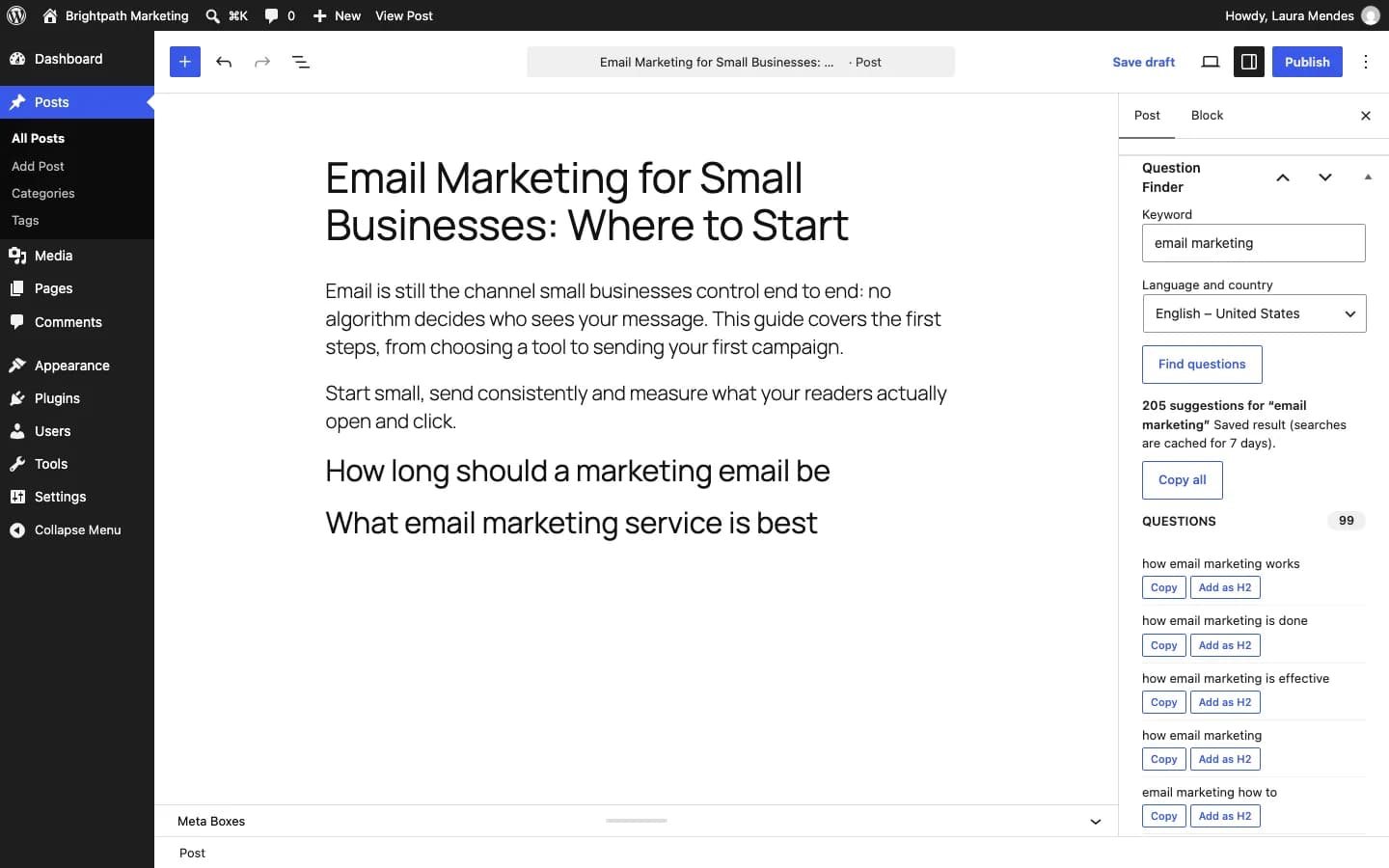
Question Finder pulls the questions, prepositions and comparisons people search about a keyword from Google Autocomplete, in the language and country you choose. Results are grouped in the editor with a button to add each question as an H2. With a Serper key it also brings “People also ask”.
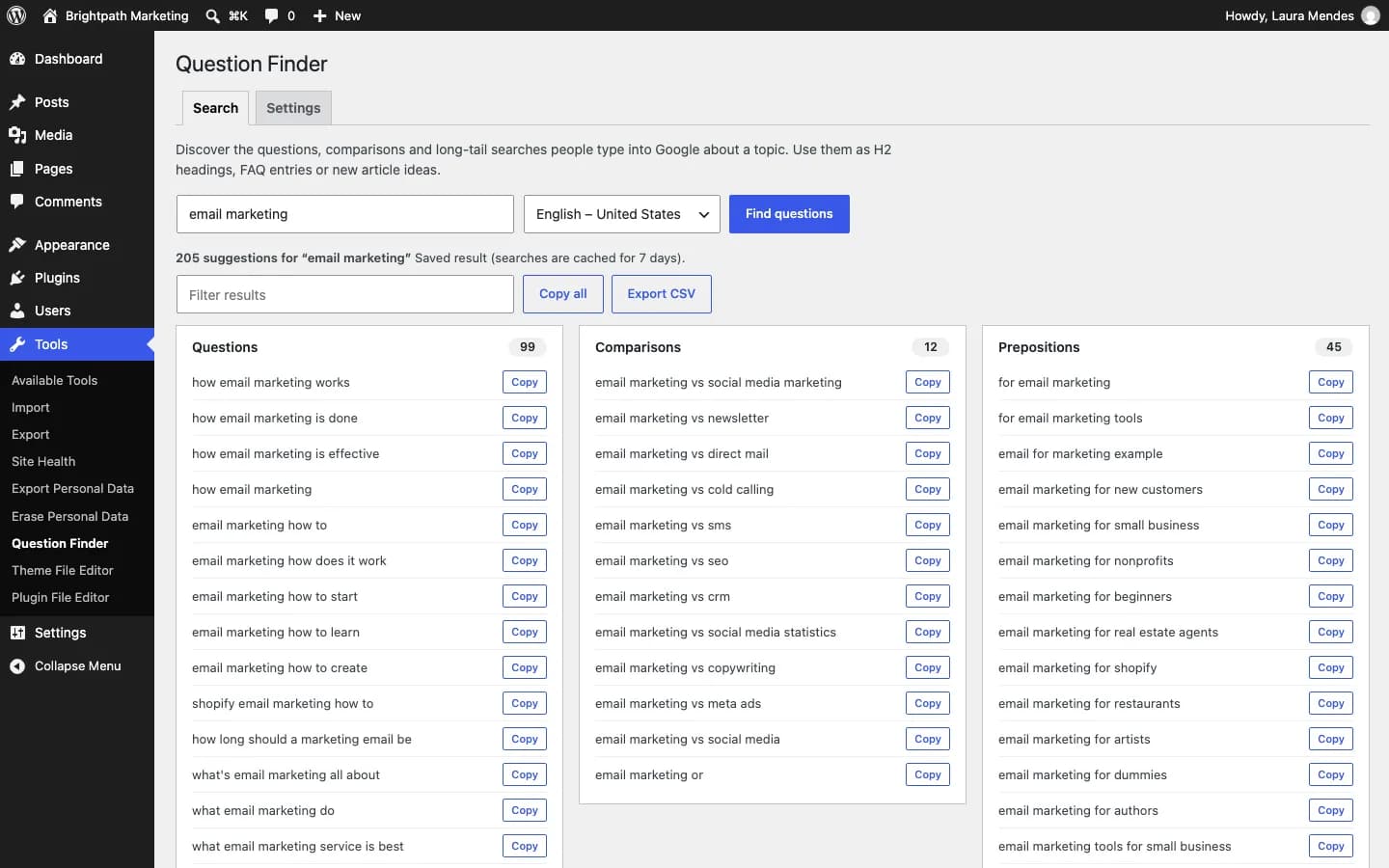
How, what, why, when, which, who: combinations people type into autocomplete.
“for”, “with”, “without”, “vs”, “or”, “best”: the variations that become sections and articles.
Add a question as an H2 in one click or copy it anywhere.
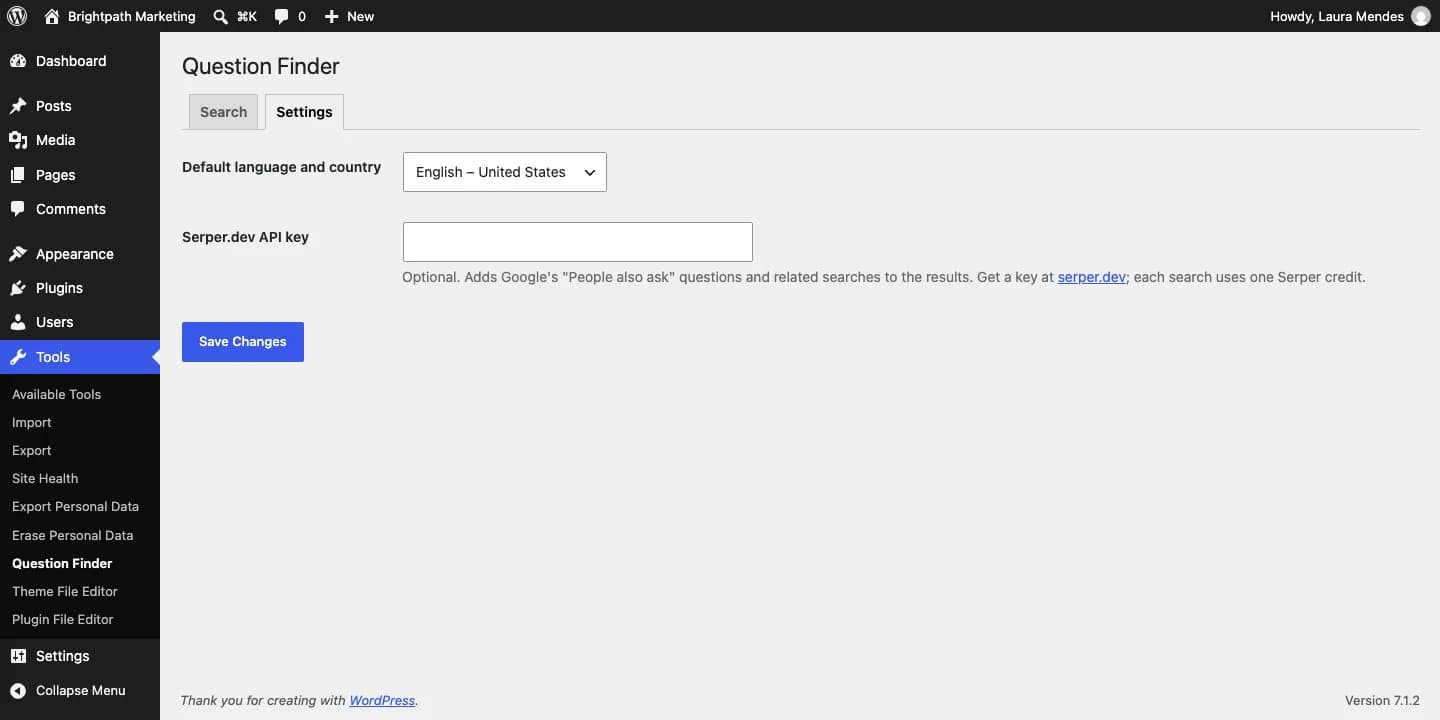
Optional, with your free Serper.dev key, together with related searches.
Take the list to your content calendar spreadsheet.
Activate the plugin and open Tools → Question Finder, or the panel in the editor.
Type the keyword and choose language and country.
Use the questions as H2s, FAQ items or new post ideas.
Click "Free download", enter your name, email and WhatsApp, and save the file without unzipping it.
In your dashboard go to Plugins → Add New → Upload Plugin and choose the file.
Click "Install Now" and then "Activate Plugin".
Use the "Settings" link that appears in the plugin list.
No. Google Autocomplete works without a key. A Serper key is optional and only adds “People also ask”.
English (US and UK), Portuguese (Brazil and Portugal) and Spanish (Spain and Mexico), each with its own modifiers.
Each search is cached on your site for 7 days, so you can come back to it without re-running the queries.
AI content
Generate complete SEO article drafts inside WordPress, with WordPress 7 AI or your own OpenRouter key.
Uses WordPress 7 AI or your own OpenRouter key
Version 1.0.0 · 60 KB · Updated October 5, 2026
Images
Generate featured and social share images (1200×630) from the post title, with no AI and no external service.
Works with no external setup
Version 1.0.0 · 176 KB · Updated October 5, 2026
Google Search Console
See which posts are almost on page one and which are losing clicks, right in WordPress.
Uses your Google Search Console
Version 1.0.0 · 73 KB · Updated October 5, 2026
Turn these questions into a complete article: Contentor writes SEO and AEO content that answers them and publishes it to WordPress.
Discover ContentorQuestion Finder
Free · 41 KB