
On-page SEO
Internal Link Assistant
Get internal link suggestions while you write and find the orphan pages on your site.
Works with no external setup
Version 1.0.0 · 49 KB · Updated October 5, 2026

E-E-A-T · Free
Show who wrote it, who reviewed it, when it was updated and the sources, to readers and search engines.
Version 1.0.0 · WordPress 6.2+ · PHP 7.4+ · 43 KB · Updated October 5, 2026

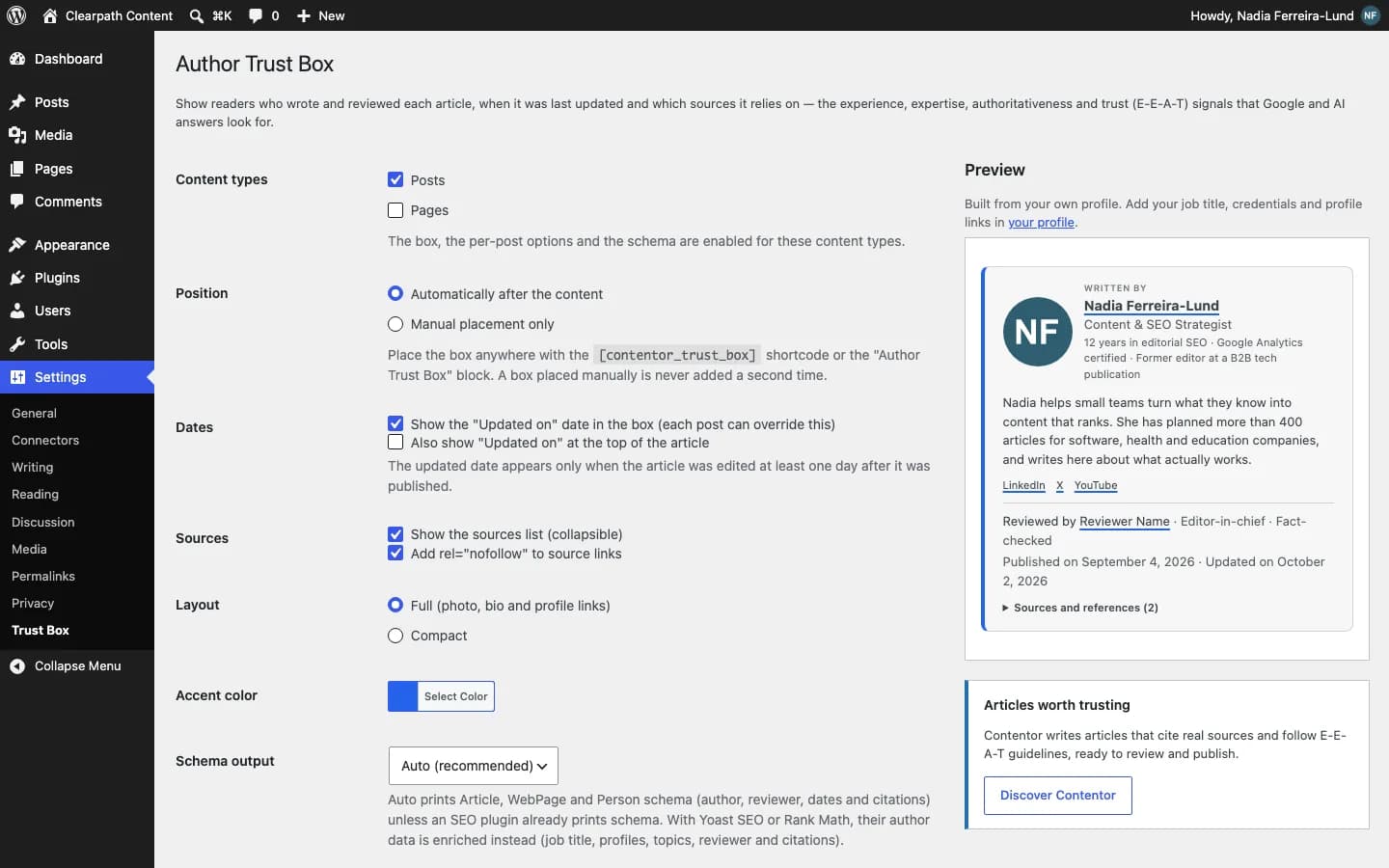
Author Trust Box adds a box at the end of each post with the author, job title, credentials, social profiles, reviewer, last-updated date and sources, and outputs matching Person and Article schema. If you use Yoast or Rank Math, it enriches their schema instead of duplicating it.
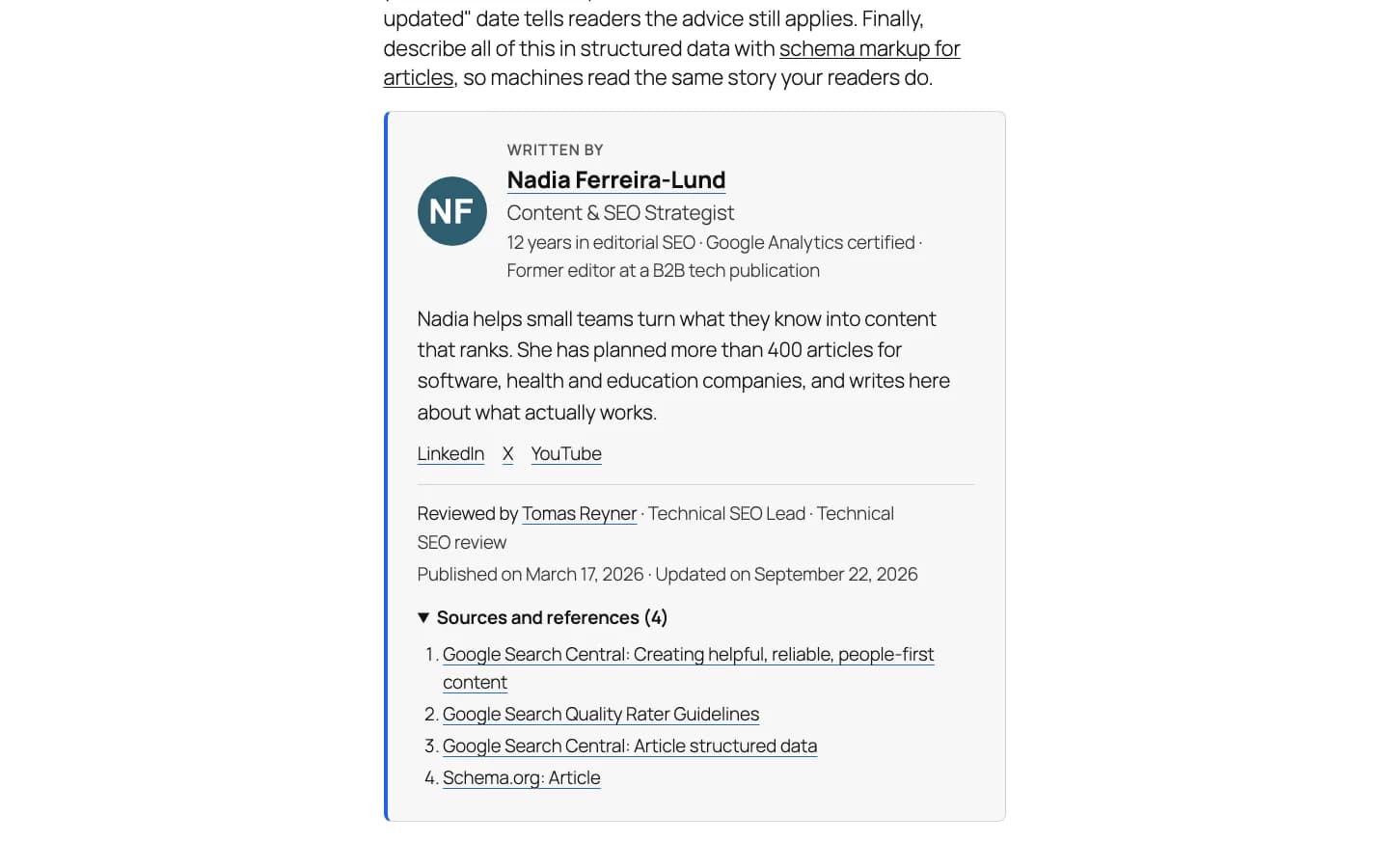
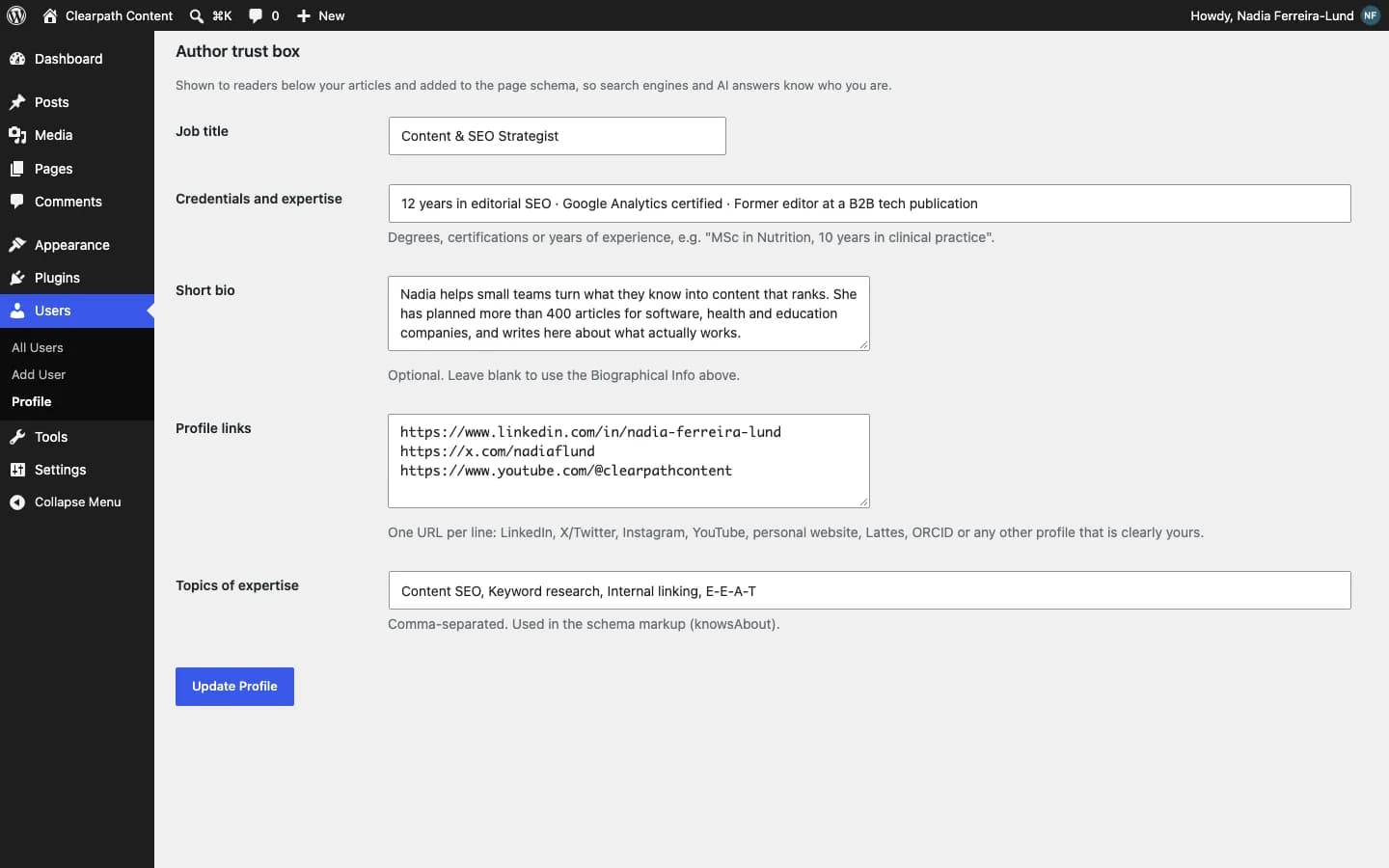
Job title, credentials, bio, areas of expertise and profiles (LinkedIn, X, ORCID…).
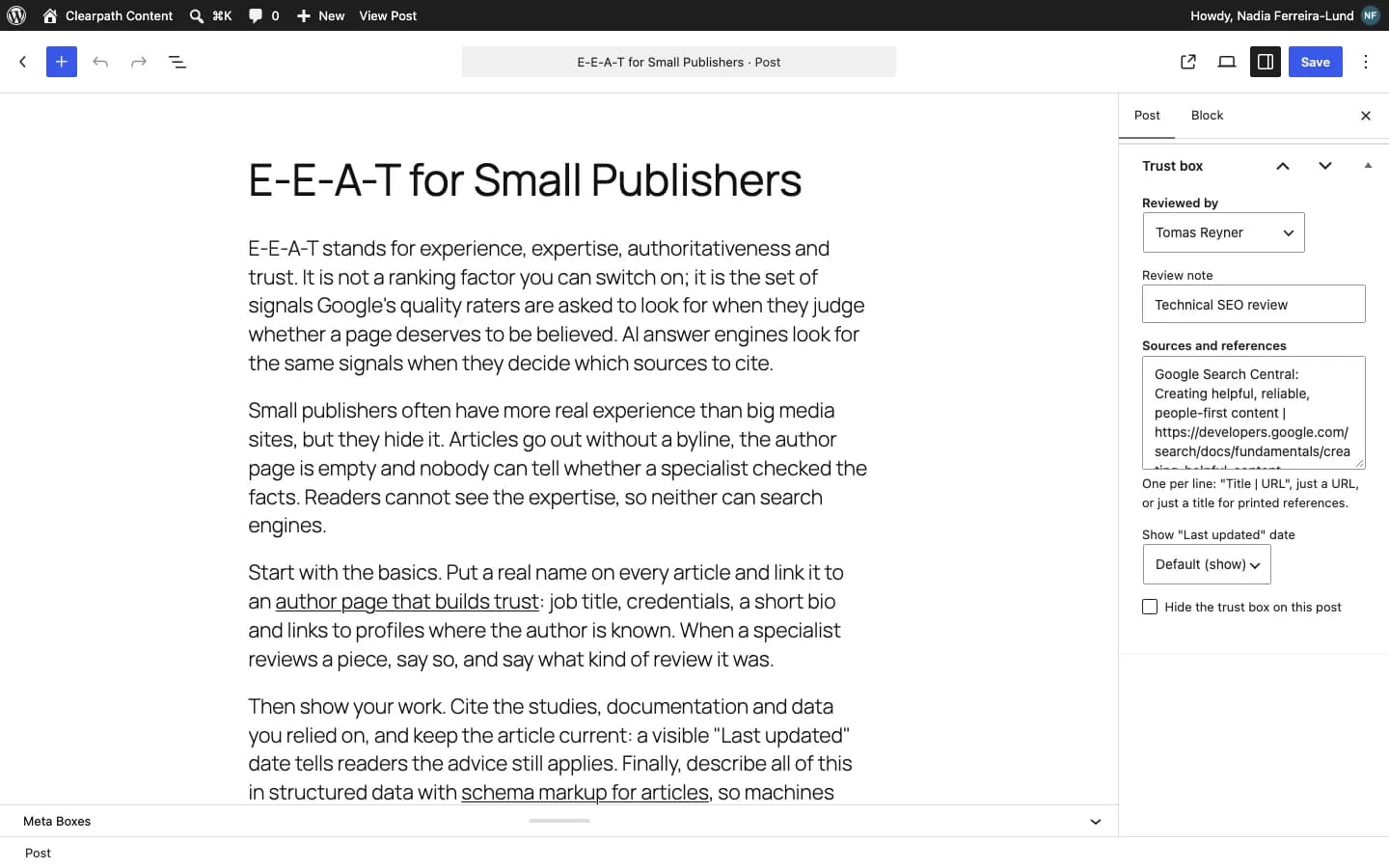
Name who reviewed it (e.g. medical review) and list the references used.
Shows “Updated on” at the top or in the box: a freshness signal for Google and AI.
Article and Person with sameAs, reviewedBy and citation, or enriches Yoast and Rank Math schema.
Place the box anywhere with the block or [contentor_trust_box].
Activate the plugin and complete your profile in Users → Profile.
On each post, set the reviewer and sources in the “Trust box” panel.
Adjust colors, layout and schema in Settings → Trust Box.
Click "Free download", enter your name, email and WhatsApp, and save the file without unzipping it.
In your dashboard go to Plugins → Add New → Upload Plugin and choose the file.
Click "Install Now" and then "Activate Plugin".
Use the "Settings" link that appears in the plugin list.
Experience, Expertise, Authoritativeness and Trustworthiness: the criteria Google’s quality guidelines use to evaluate content, especially on health, money and legal topics.
No. In Auto mode, when Yoast, Rank Math, AIOSEO or SEOPress is active, the plugin skips its own schema and adds author data to theirs where possible.
Yes. The box inherits your theme font, works on light and dark backgrounds and has a configurable accent color.
On-page SEO
Get internal link suggestions while you write and find the orphan pages on your site.
Works with no external setup
Version 1.0.0 · 49 KB · Updated October 5, 2026
AI content
Generate complete SEO article drafts inside WordPress, with WordPress 7 AI or your own OpenRouter key.
Uses WordPress 7 AI or your own OpenRouter key
Version 1.0.0 · 60 KB · Updated October 5, 2026
Google Search Console
See which posts are almost on page one and which are losing clicks, right in WordPress.
Uses your Google Search Console
Version 1.0.0 · 73 KB · Updated October 5, 2026
Contentor writes articles that cite real sources and follow E-E-A-T guidelines, ready to review and publish.
Discover ContentorAuthor Trust Box (E-E-A-T)
Free · 43 KB